Order Lifecycle
An order is the case-level record in iFlow. It groups one or more samples, selects a test mode (hereditary or somatic), and travels through a series of stages until a signed report is issued. This page explains the stages an order moves through and who can move it between them.
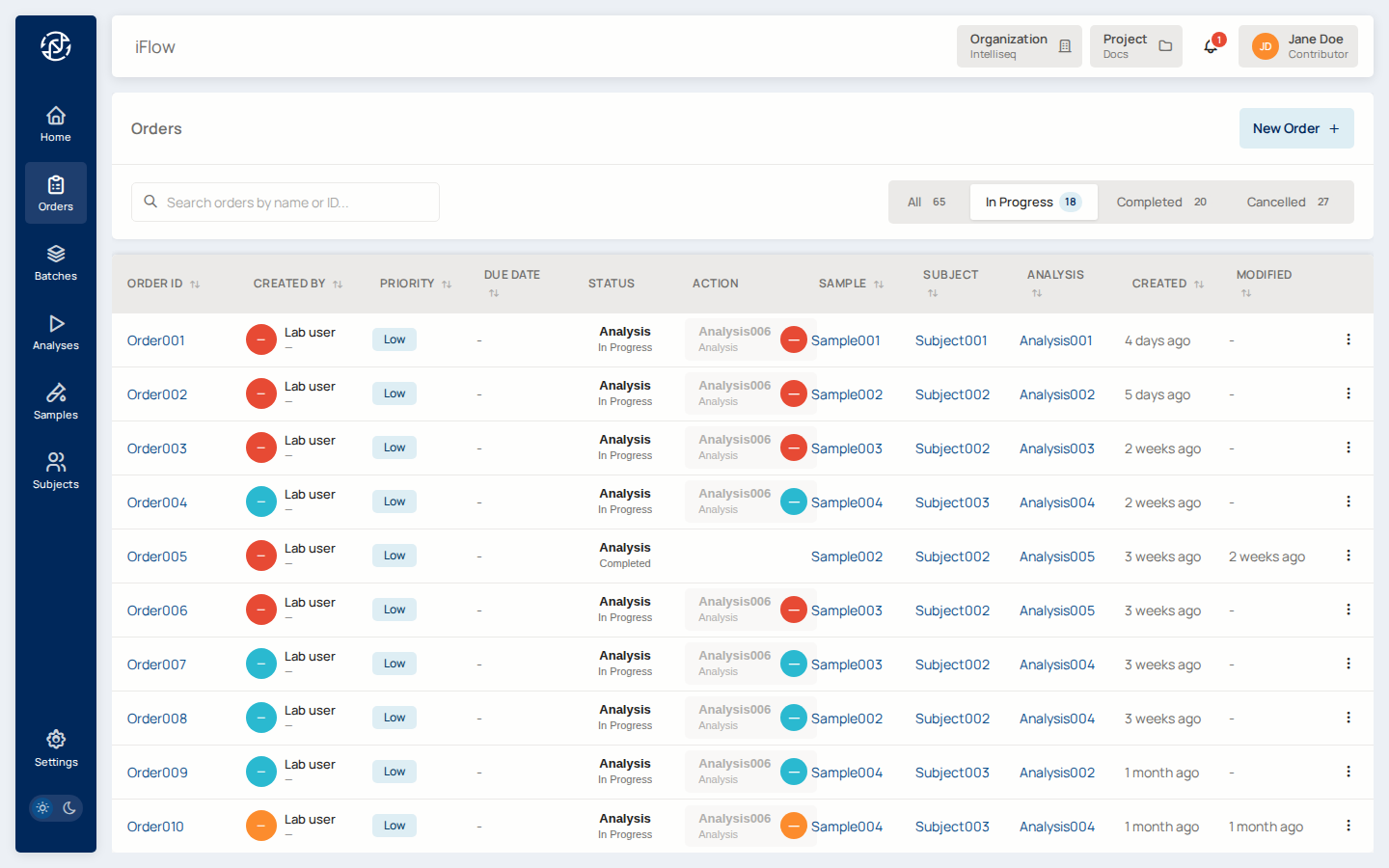
The stages
Every order moves through the same sequence of stages. You can see the current stage of each order in the Stage column on the Orders list, and on the order's detail page.
| Stage | What it means |
|---|---|
| Created | The order has been created and its samples linked. Nothing has run yet. |
| Analyzing | One or more pipelines are running and variant data is being loaded. |
| Review | Variants are being curated and the draft report is being prepared. |
| Sign off | The report is drafted and waiting for an authorized signer to approve it. |
| Completed | The report has been approved and signed. This is the final stage. |
| Cancelled | The order was abandoned before completion. |
An order normally advances Created → Analyzing → Review → Sign off → Completed. When no separate review step is needed, an order can move straight from Analyzing to Sign off. An order can be Cancelled from any stage before it is completed.
Stages only move forward
An order cannot be moved back to an earlier stage — for example, a completed order cannot return to review. If something needs to change after completion, create a new order.
Who can move an order
Advancing an order between stages requires the right role and, for most transitions, being assigned to the order's current stage:
- Advancing through Analyzing, Review and Sign off — requires a project Editor role or higher, and assignment to the current stage.
- Approving and signing (Sign off → Completed) — requires a project Admin role or higher. This happens as part of the Approve-and-Sign step; see Sign off & report PDF.
- Cancelling an order — requires a project Admin role or higher.
See Users & Roles for the full permission matrix.
Orders cannot be renamed once a report exists
An order's identifier is used in the storage path for its files. Once a report or any other file has been written, the order can no longer be renamed.
What you can do on an order
From an order's detail page you can:
- See the order's linked samples and each sample's role (proband, mother, father, tumour, normal, and so on).
- Track the current stage and the assignee.
- Open the variant browser to review variants for the order.
- Review and sign the report — see Sign off & report PDF.
See also
- From sample to report — the end-to-end walkthrough of taking an order from intake to a signed report.
- Sign off & report PDF — the Approve-and-Sign step.
- Creating samples and Analyses — the entities that make up an order.
- For scripted order management, see CLI → Order Management.